graph LR
    A["Load model<br/>from HuggingFace"] --> B["Fine-tune<br/>with Unsloth"]
    B --> C["Export to<br/>GGUF"]
    C --> D["Serve locally<br/>with Ollama"]

    style A fill:#ffce67,stroke:#333
    style B fill:#6cc3d5,stroke:#333,color:#fff
    style C fill:#6cc3d5,stroke:#333,color:#fff
    style D fill:#56cc9d,stroke:#333,color:#fff
Fine-tuning an LLM with Unsloth and Serving with Ollama
End-to-end guide: fine-tune a small model on Hugging Face with Unsloth and deploy locally with Ollama
Keywords: Unsloth, Ollama, fine-tuning, Hugging Face, Qwen, Alpaca dataset, LoRA, GGUF, local LLM, AI deployment
Introduction
Fine-tuning your own Large Language Model (LLM) is no longer limited to large GPU clusters. With modern tools like Unsloth and Ollama, you can fine-tune a small model on a small dataset and run it locally on your machine.
This approach is ideal if you want:
- Full control over your model
- Privacy (no external API calls)
- Low-cost experimentation
- Custom domain adaptation
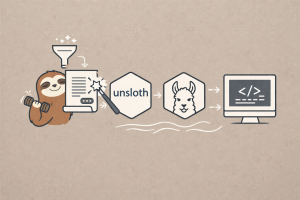
In this tutorial, we will walk through a complete pipeline:
- Load a small LLM from Hugging Face
- Fine-tune it with Unsloth
- Export it to GGUF
- Serve it locally with Ollama
What is Unsloth?
Unsloth is an optimized framework for fine-tuning LLMs efficiently. It enables:
- Fast training (2x–5x speed improvements)
- Reduced VRAM usage (4-bit quantization)
- Easy LoRA fine-tuning
- Direct export to GGUF
What is Ollama?
Ollama is a lightweight framework designed to simplify local LLM usage. It enables you to:
- Run LLMs locally (CPU or GPU).
- Download and manage open-source models (including custom configurations and models pulled from Hugging Face).
- Serve models via a built-in local HTTP API server.
- Customize models using simple configuration files.
Read this article for more details: Run LLM Locally with Ollama
Fine-tune LLM with Unsloth
graph TD
    A["Select Model & Dataset"] --> B["Setup Environment"]
    B --> C["Load Model (4-bit)"]
    C --> D["Add LoRA Adapters"]
    D --> E["Load & Format Dataset"]
    E --> F["Train with SFTTrainer"]
    F --> G["Test & Save"]
    G --> H["Export to GGUF"]

    style A fill:#f8f9fa,stroke:#333
    style B fill:#f8f9fa,stroke:#333
    style C fill:#ffce67,stroke:#333
    style D fill:#ffce67,stroke:#333
    style E fill:#6cc3d5,stroke:#333,color:#fff
    style F fill:#6cc3d5,stroke:#333,color:#fff
    style G fill:#56cc9d,stroke:#333,color:#fff
    style H fill:#56cc9d,stroke:#333,color:#fff
Model & Dataset Selection
Model
unsloth/Qwen2.5-0.5B-Instruct
Dataset
yahma/alpaca-cleaned (subset of 200 samples)
Environment Setup
!pip install -q unsloth
!pip install -q transformers datasets trl accelerate peft bitsandbytes sentencepiece
Load Model
from unsloth import FastLanguageModel

model, tokenizer = FastLanguageModel.from_pretrained(
    model_name="unsloth/Qwen2.5-0.5B-Instruct",
    max_seq_length=1024,
    load_in_4bit=True,
)
Add LoRA Adapters
model = FastLanguageModel.get_peft_model(
    model,
    r=16,
    target_modules=[
        "q_proj","k_proj","v_proj","o_proj",
        "gate_proj","up_proj","down_proj",
    ],
    lora_alpha=16,
    lora_dropout=0,
    bias="none",
)
Load Dataset
from datasets import load_dataset
dataset = load_dataset("yahma/alpaca-cleaned", split="train[:200]")
Format Dataset
def format_example(example):
    user_text = example["instruction"]
    if example["input"]:
        user_text += "\n\nInput:\n" + example["input"]

    messages = [
        {"role": "user", "content": user_text},
        {"role": "assistant", "content": example["output"]},
    ]

    text = tokenizer.apply_chat_template(
        messages,
        tokenize=False,
    )
    return {"text": text}

dataset = dataset.map(format_example)
Fine-tuning
from trl import SFTTrainer, SFTConfig

trainer = SFTTrainer(
    model=model,
    tokenizer=tokenizer,
    train_dataset=dataset,
    args=SFTConfig(
        dataset_text_field="text",
        per_device_train_batch_size=2,
        max_steps=60,
        learning_rate=2e-4,
        output_dir="outputs",
    ),
)

trainer.train()
Test Model
from unsloth import FastLanguageModel
FastLanguageModel.for_inference(model)

inputs = tokenizer("Explain fine-tuning simply", return_tensors="pt").to(model.device)
outputs = model.generate(**inputs, max_new_tokens=100)

print(tokenizer.decode(outputs[0]))
Save Model
model.save_pretrained("lora_model")
tokenizer.save_pretrained("lora_model")
Export GGUF
model.save_pretrained_gguf(
    "gguf_model",
    tokenizer,
    quantization_method="q4_k_m",
)
Download Model from Colab
!zip -r model.zip gguf_modelRun your fine-tuned model with Ollama
graph LR
    A["Install Ollama"] --> B["Create Modelfile<br/>(FROM + SYSTEM)"]
    B --> C["ollama create<br/>my-model"]
    C --> D["ollama run<br/>my-model"]
    D --> E["Query via API<br/>(port 11434)"]

    style A fill:#ffce67,stroke:#333
    style B fill:#ffce67,stroke:#333
    style C fill:#6cc3d5,stroke:#333,color:#fff
    style D fill:#56cc9d,stroke:#333,color:#fff
    style E fill:#56cc9d,stroke:#333,color:#fff
Install Ollama
Download from: https://ollama.com
Or via terminal:
curl -fsSL https://ollama.com/install.sh | shCreate an Ollama Model
Folder structure:
my-model/
├── Modelfile
├── model.gguf
Create Modelfile
FROM ./model.gguf

SYSTEM You are a helpful AI assistant.

PARAMETER temperature 0.7
PARAMETER num_ctx 2048
Run Model
ollama create my-model -f Modelfile
ollama run my-model
API Usage
import requests

response = requests.post(
    "http://localhost:11434/api/generate",
    json={
        "model": "my-model",
        "prompt": "Explain LoRA",
        "stream": False
    }
)

print(response.json()["response"])
Deployment Tips
graph TD
    A["Deployment Best Practices"] --> B["Use quantized models<br/>(Q4/Q5) for low RAM"]
    A --> C["Prefer GPU acceleration<br/>if available"]
    A --> D["Clean dataset:<br/>quality > quantity"]
    A --> E["Start small,<br/>then scale"]

    style A fill:#56cc9d,stroke:#333,color:#fff
    style B fill:#f8f9fa,stroke:#333
    style C fill:#f8f9fa,stroke:#333
    style D fill:#f8f9fa,stroke:#333
    style E fill:#f8f9fa,stroke:#333
- Use quantized models (Q4/Q5) to reduce RAM usage
- Prefer GPU acceleration if available
- Keep dataset clean → quality > quantity
- Start small, then scale
Conclusion
With Unsloth + Hugging Face + Ollama, you now have a complete local LLM pipeline:
- Fine-tune efficiently with minimal hardware
- Customize models for your use case
- Deploy locally with zero latency
- Maintain full control and privacy
This workflow is perfect for:
- Prototyping AI products
- Internal enterprise tools
- Personal AI assistants
Read More
- Train on your own domain dataset (RAG + fine-tuning)
- Add tools with LangGraph agents
- Deploy behind an API gateway (FastAPI, Nginx)
- Scale with Docker + GPU servers